
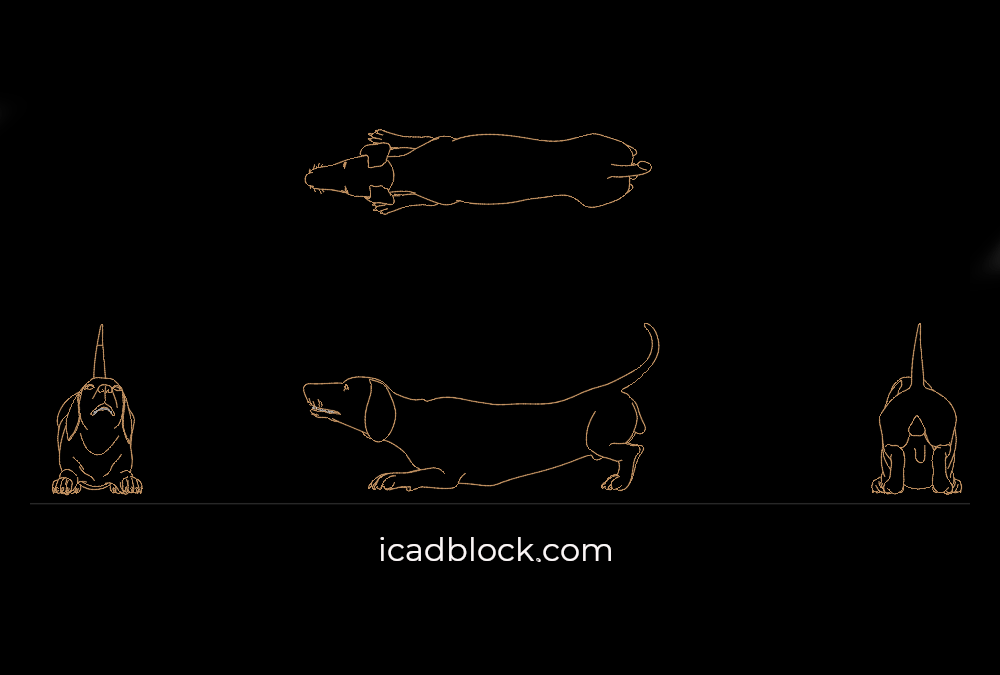
Download this Dog Searching for Food CAD Block in DWG format for free. This 2D AutoCAD drawing features a dog looking or searching for food, shown in multiple views. The drawing is useful for architectural plans, landscape design, residential projects, pet-friendly spaces, parks, gardens, and animal-related presentations.
The CAD block is provided in four views: top, front, back, and side, making it suitable for different types of architectural and technical drawings. The current file is available in DWG format and is listed at approximately 112 KB.
Dog Searching for Food CAD Block for AutoCAD
A dog figure can add realism, scale, and activity to architectural and landscape drawings. This CAD block shows a dog in an active position while searching for food, making it useful for projects where animals are part of the environment or design concept.
The multiple views allow you to choose the appropriate orientation for plans, elevations, sections, site drawings, and presentation boards.
You can use this Dog AutoCAD Block in:
- Residential floor plans
- Houses and apartments
- Gardens and backyards
- Landscape architecture
- Parks and public spaces
- Dog parks
- Pet-friendly projects
- Veterinary facilities
- Animal shelters
- Pet stores
- Rural and farm projects
- Outdoor recreational areas
- Architectural presentations
Dog DWG Block in Four Views
This drawing includes top, front, back, and side views, giving you greater flexibility when adding the dog figure to different CAD drawings.
The different orientations are especially useful when you need to represent the dog accurately in a floor plan, elevation, section, or site layout.
Using multiple views can also help create more complete architectural presentations and improve the visual communication of outdoor and animal-related spaces.
Free Dog CAD Block for Landscape Design
A dog figure can be particularly useful in landscape projects where pets and animals are part of the intended use of the space.
Use this Dog Searching for Food CAD Block in:
Residential Landscape Projects
Add the figure to gardens, patios, backyards, terraces, and other residential outdoor spaces to illustrate how pets may interact with the environment.
Dog Parks and Recreational Areas
The block can help represent activity and scale in dog parks, public recreation areas, and pet-friendly outdoor spaces.
Animal-Related Projects
The figure can also be useful in veterinary clinics, animal shelters, pet stores, farms, and other projects related to animals.
Why Download This Dog CAD Block?
- Free DWG CAD block
- Dog searching for food
- Four 2D views
- Top, front, back, and side views
- Useful for landscape architecture
- Ideal for residential projects
- Suitable for parks and gardens
- Useful for dog parks and pet-friendly spaces
- Helps represent human and animal scale
- Suitable for plans, elevations, and sections
- Saves drafting time
- Compatible with AutoCAD and other DWG-supported CAD software
Download this Dog Searching for Food CAD Block DWG and add a realistic animal figure to your next architecture, landscape, residential, park, or outdoor design project.
File Information
File Name: Dog Searching for Food CAD Block
Format: DWG
File Type: 2D CAD Block
Software: AutoCAD and compatible CAD software
Views: Top, Front, Back, Side
File Size: Approximately 112 KB
Category: Animals / Dogs / Pets / Landscape
Download: Free DWG CAD Block
FAQ
What is a Dog Searching for Food CAD Block?
It is a 2D DWG drawing representing a dog in an active position while searching for food, designed for use in architectural and landscape projects.
How many views are included?
The drawing includes four views: top, front, back, and side.
Can I use this dog block in AutoCAD?
Yes. The file is available in DWG format for AutoCAD and compatible CAD software.
Where can I use this dog CAD block?
You can use it in residential plans, gardens, parks, dog parks, landscape drawings, veterinary projects, pet-related spaces, farms, and architectural presentations.


